Withdraw Money from ExpertOption: Steps, Timing & Limits
Writen By

Online Trading Platform Researcher and Guide Writer
Researches broker platforms and trading account Systems.
Getting cash out of a trading account often raises questions about payment routes, verification checks and processing delays. Before you request a payout on ExpertOption, confirm which withdrawal methods are available for your country, whether the method requires prior deposits, and any minimum withdrawal or turnover conditions that might apply. Typical causes of delay or rejection include incomplete identity checks, mismatched payment details, exceeded limits, and bank or processor business-hour windows.
This page outlines the withdrawal workflow on ExpertOption: how to submit a request from the dashboard, expected processing times for cards, e-wallets and bank transfers, documents you may need to provide, and practical troubleshooting steps for pending or declined requests. Follow the step instructions and safety tips to reduce delays, avoid payment errors, and make sure funds return to the correct payment destination.
This page outlines the withdrawal workflow on ExpertOption: how to submit a request from the dashboard, expected processing times for cards, e-wallets and bank transfers, documents you may need to provide, and practical troubleshooting steps for pending or declined requests. Follow the step instructions and safety tips to reduce delays, avoid payment errors, and make sure funds return to the correct payment destination.

Which Payment Methods are available for Withdrawal on ExpertOption
We work with more than 20 payment systems. You can transfer money to your debit or credit card: Visa, MasterCard, Maestro, UnionPay. We are integrated with electronic payment methods as well: Neteller, Skrill, Perfect Money, FasaPay and others.Gold, Platinum, and Exclusive accounts have priority withdrawal.
First withdrawals have to be made to an account card or e-wallet that was used for making a deposit. In case of withdrawal, to bank card amount of withdrawal has to be equal to the deposit amount. Other funds (revenue) you can withdraw to any e-wallet (Skrill, Neteller, UnionPay, or any other method)
How can I Withdraw Money from ExpertOption
First, let’s clarify a small point. It may seem ridiculous or stupid to some, but we receive many similar questions every day. Money can be withdrawn ONLY from a real account; a demo account is, in fact, a simulation profile on which you can practice making money using the ExpertOption platform. Therefore, at the very beginning, on a demo account, a very large $10,000 is available for trading.So, you have a real account, you’ve topped up using a MasterCard bank card. Now you’ve earned a profit and want to withdraw your winnings. How can it be done?
Withdrawal has never been easier! Follow these steps:
1. Just open the ExpertOption platform and tap on the top left upper corner menu.
2. Then choose the Finances option. You’ll now see a Withdrawal option in the lower right corner of the window.
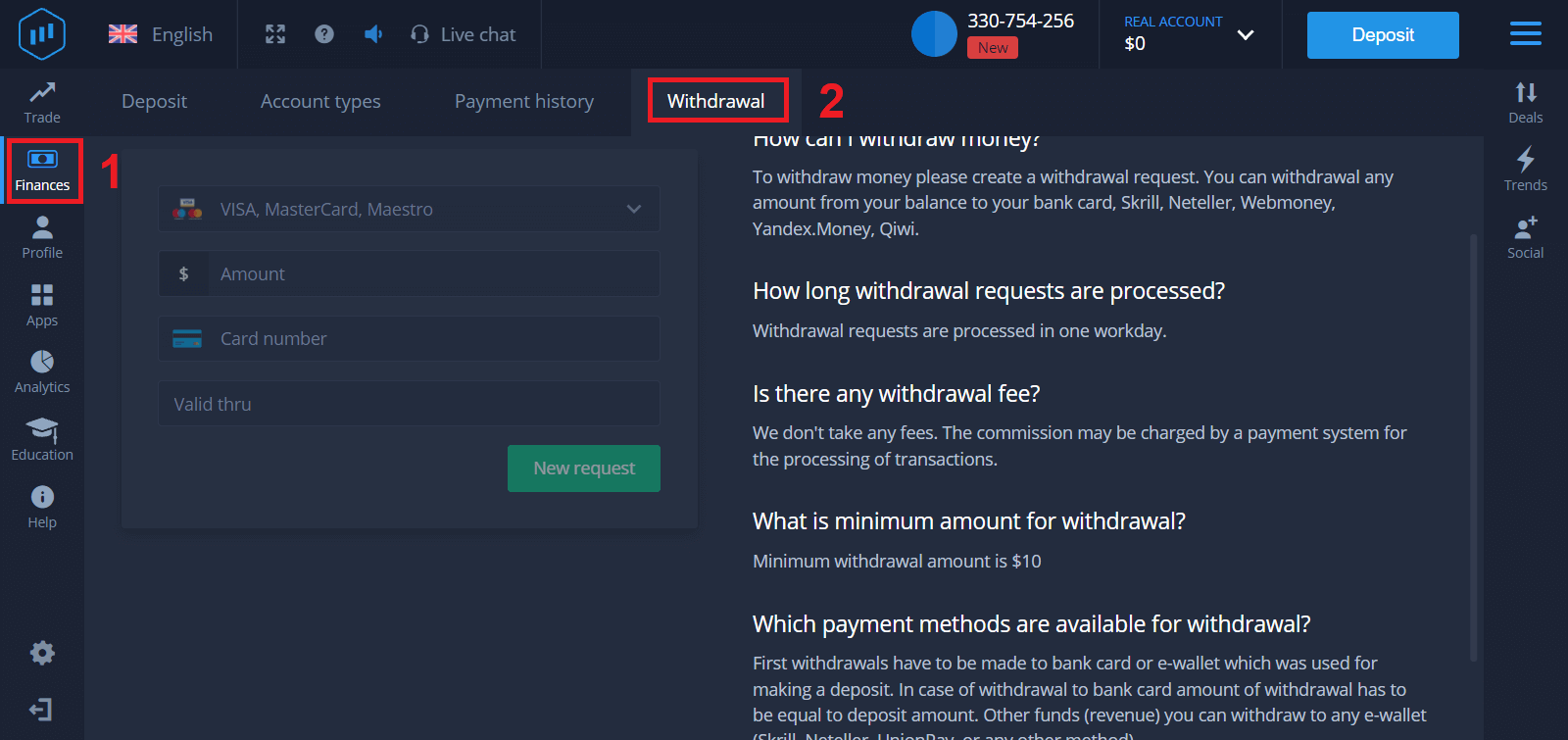
3. There, you should enter all the data of the payment method you wish to use for withdrawal
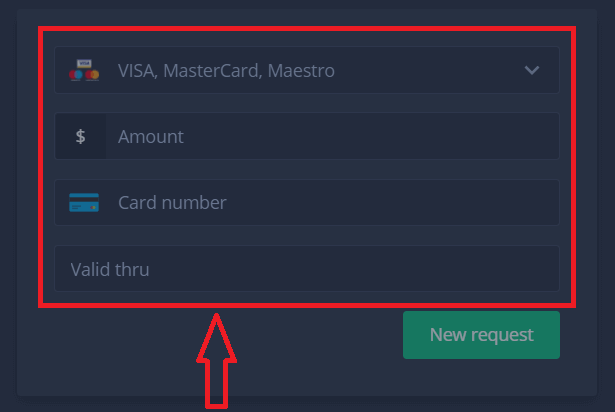
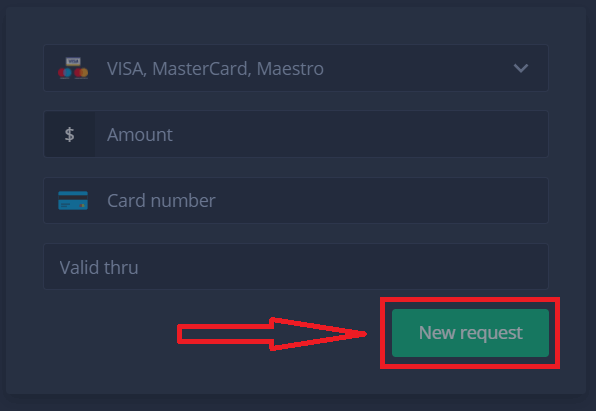
4. Once you’ve provided all the information in this field, press the “New request” button.
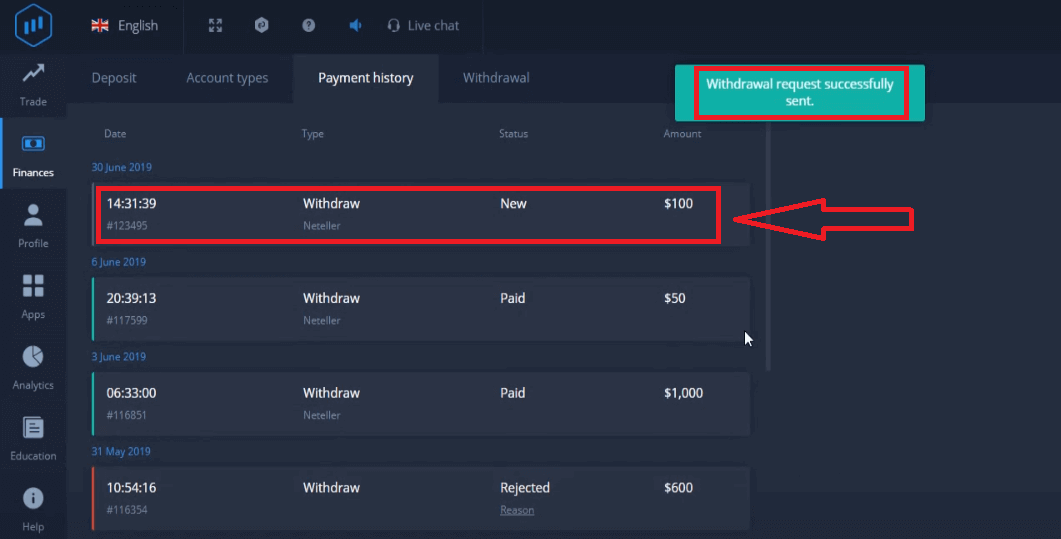
That’s it, your money is on its way to your credit card or other payment method. You will see the new request in "Payment history.y"
One more important thing!
In addition to the usual withdrawal methods - such as credit cards, there are dozens of other withdrawal ways in ExpertOption. But the first withdrawal is always available only (!) to the payment method you used for deposit.
Frequently Asked Questions (FAQ)
How long are withdrawal requests?
Withdrawal requests are processed in one workday.
Is there any withdrawal fee?
We don’t take any fees. The commission may be charged by a payment system for the processing of transactions.
What is the minimum amount for withdrawal?
Minimum withdrawal amount is $10
Conclusion: Withdrawing from ExpertOption is Easy and Reliable
ExpertOption provides a straightforward and secure withdrawal process designed to protect your funds while ensuring quick access to your earnings. By following the proper steps and meeting verification requirements, you can enjoy peace of mind knowing your withdrawals will be processed efficiently. Whether you’re trading full-time or occasionally, having easy access to your funds adds flexibility and confidence to your financial strategy.
FAQs
Log in, open your account wallet or cashier, choose Withdrawal, select an available payout method, enter the amount and any required details, then submit the request. If your account still needs Verification you’ll be prompted to upload documents. Processing begins after review; funds are typically sent back to the original payment method when possible.
ExpertOption commonly supports payment cards, selected e‑wallets and bank transfers, with availability depending on your country and payment provider. Each method has its own minimums, maximums and fees; check the withdrawal screen for method-specific limits before submitting a request.
Delays usually stem from pending identity or payment verification, bonus turnover requirements, mismatched beneficiary details, or delays at the receiving bank/payment processor. Review your account Verification status, confirm the payment destination matches your verified name, and check email for support requests. If everything looks correct, contact support with the withdrawal ID and screenshots of the transaction status.
Expect to provide government ID (passport or national ID), proof of address (utility bill or bank statement) and proof of payment method (card front with numbers masked, bank statement or e‑wallet screenshot). Documents must match your account name and be clear; redact only the card CVV and middle digits if required.
Use only verified payment methods in your name, enable available account security features, avoid withdrawing on public Wi‑Fi, and ignore unsolicited emails requesting credentials. Verify support contacts through the platform dashboard and never approve chargebacks without contacting support first, as that can trigger holds or account restrictions.