How to Download and Install ExpertOption Application for Mobile Phone (Android, iOS)

In today’s fast-paced trading environment, having access to the market at your fingertips is essential. The ExpertOption mobile app is designed to provide a seamless trading experience on both Android and iOS devices. With a clean interface, real-time data, and full trading functionality, the mobile app enables you to trade anytime, anywhere.
This guide will show you exactly how to download and install the ExpertOption application on your smartphone.

How to Download and Install the ExpertOption App on an iOS Phone
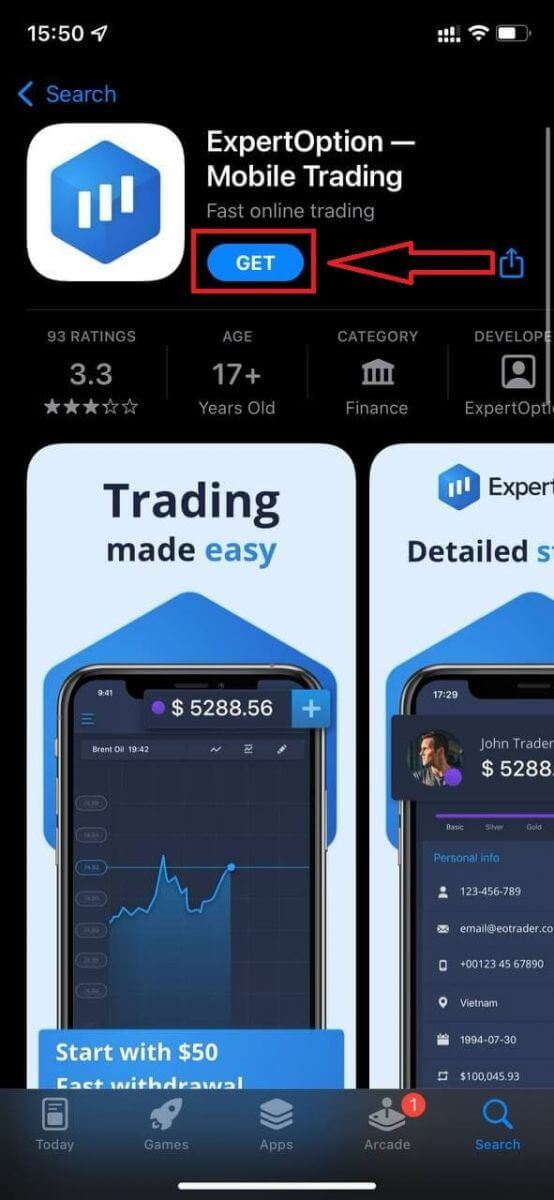
The mobile version of the trading platform is exactly the same as web version of it. Consequently, there won’t be any problems with trading and transferring funds.Download the official ExpertOption app from the App Store or click here. Simply search for “ExpertOption - Mobile Trading” app and download it on your iPhone or iPad.
Get the ExpertOption App for iOS.
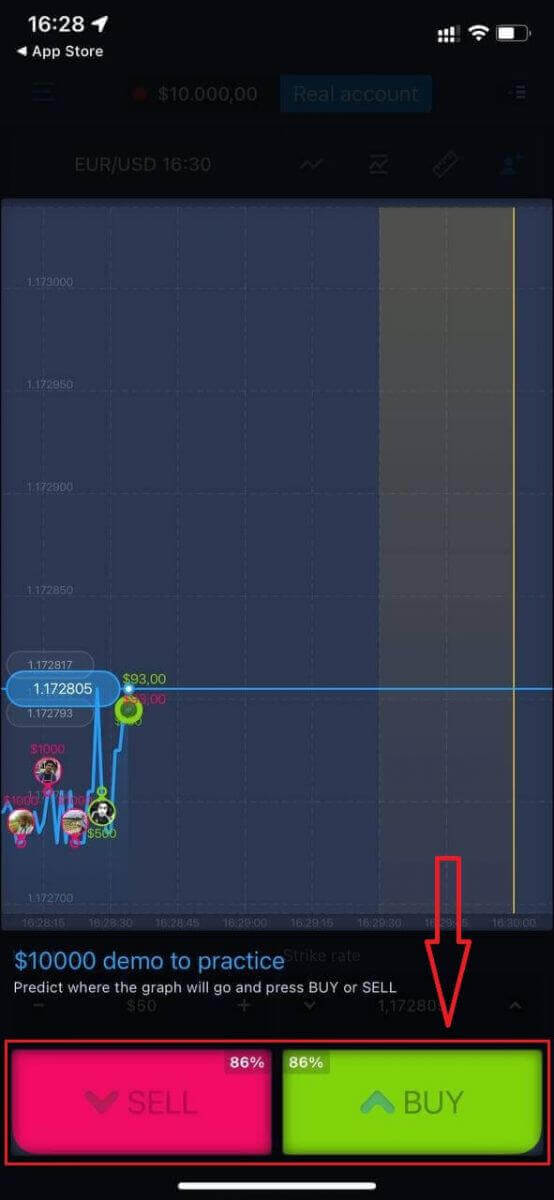
Wait for the installation to complete. After that, open ExpertOption app, you will see the trading platform, click "Buy" or "Sell" to predict where the graph will go.
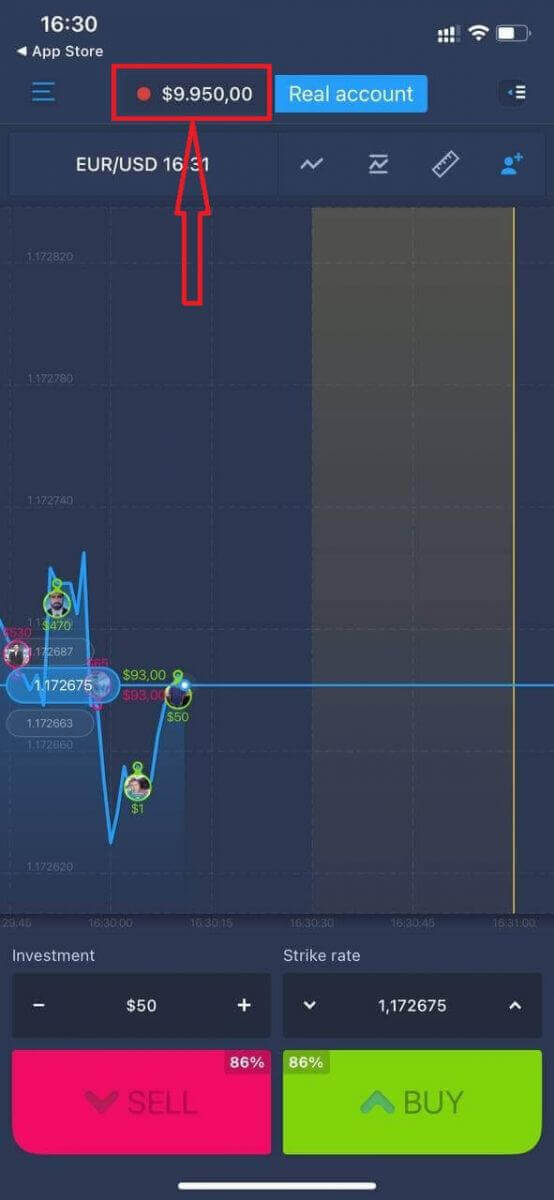
Now you can continure trading with $10,000 in Demo account. It is a tool for you to get familiar with the platform, practice your trading skills on different assets, and try out new mechanics on a real-time chart without risks.
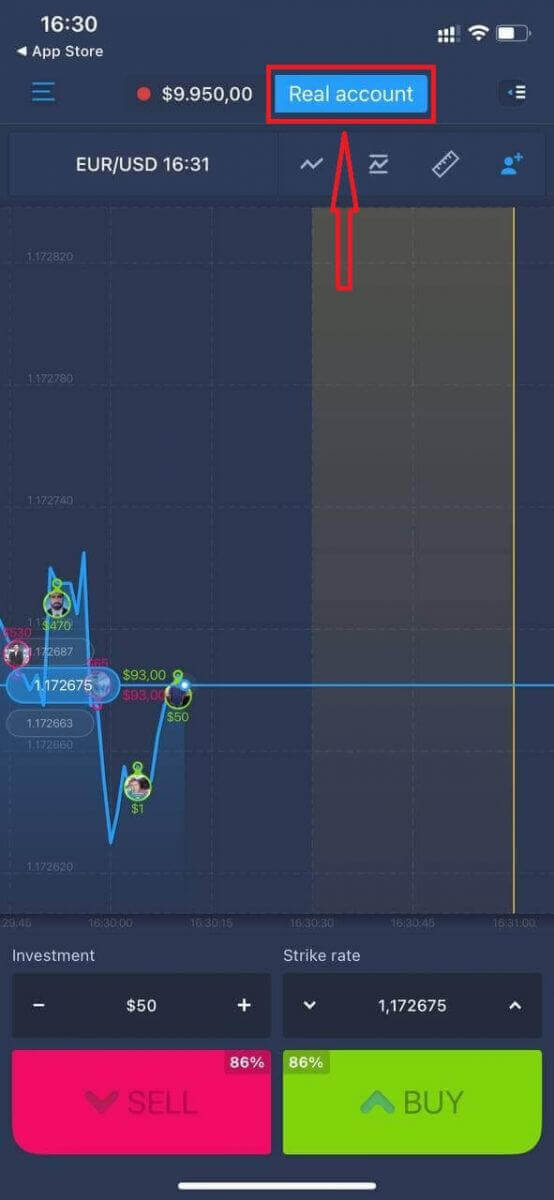
You can open an account on the iOS mobile platform by clicking "Real account."
- Enter a valid email address.
- Create a strong password.
- You also need to accept the "Terms and Conditions."
- Click the "Create account" button.
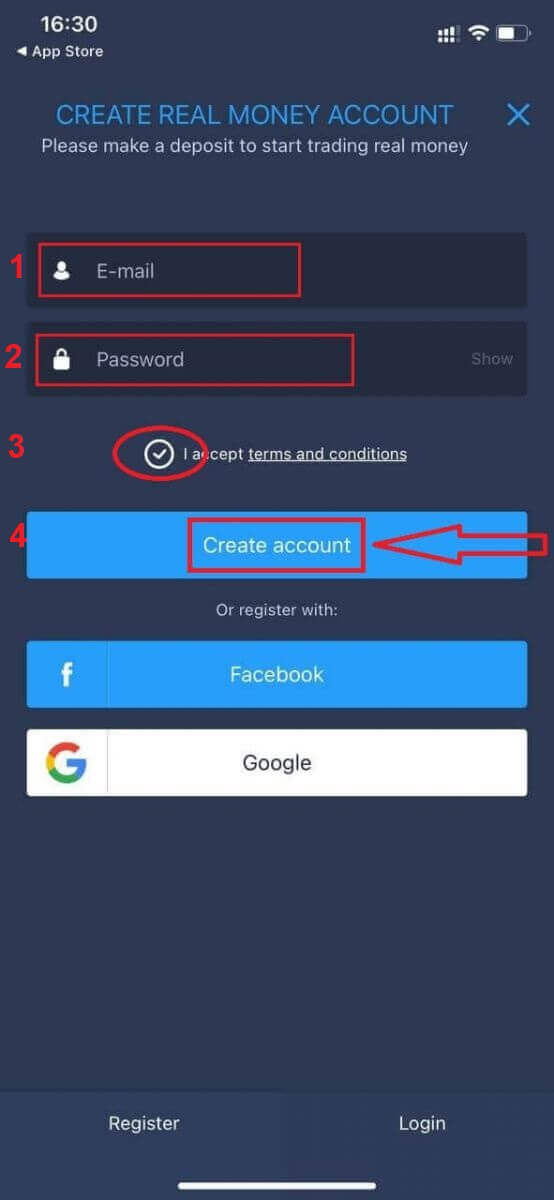
Congratulation! You have registered successfully, now you can deposit and start trading with a real account.
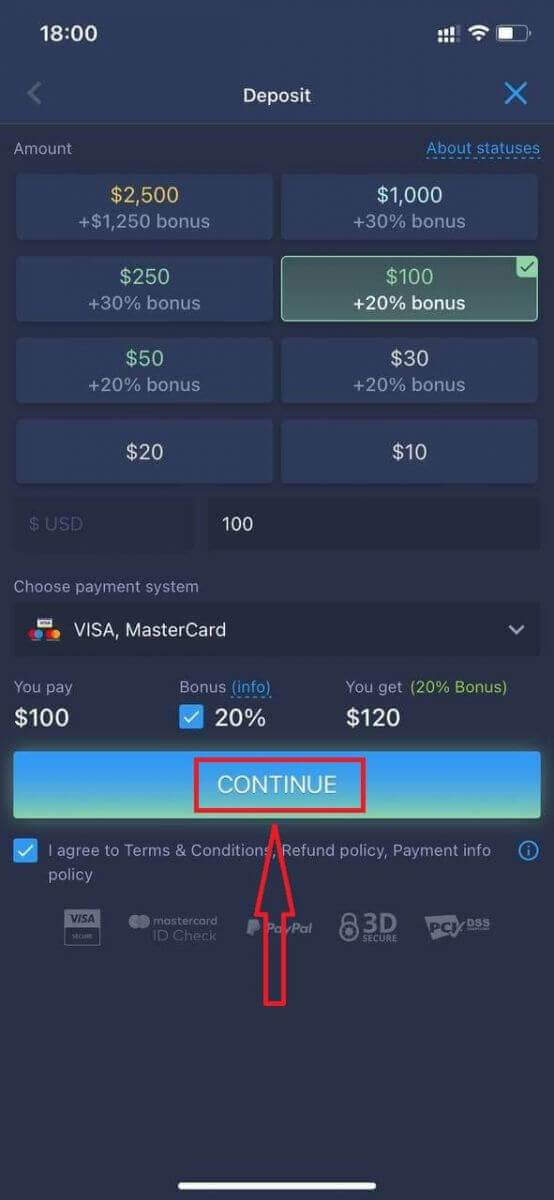
If you already work with this trading platform, log in to your account on an OS mobile device.
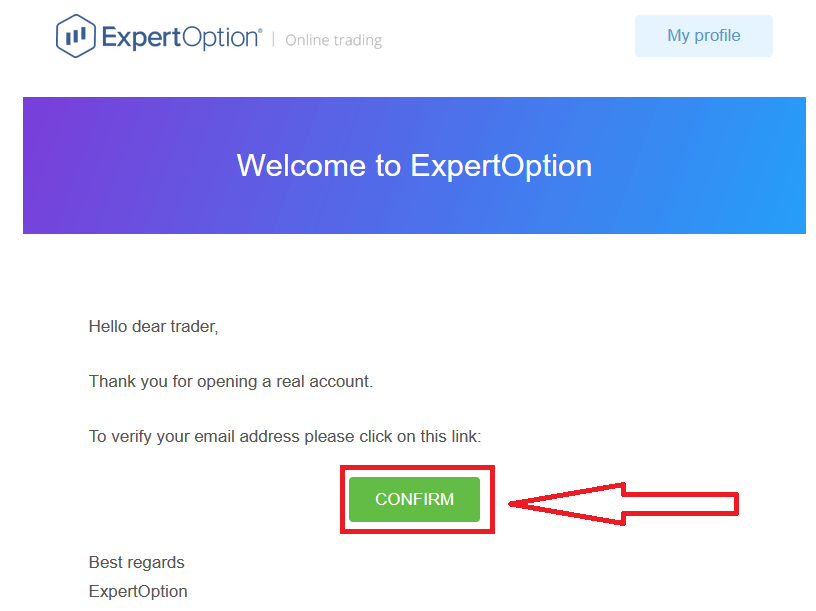
Finally, after you access your email, ExpertOption will send you a confirmation email. Click the button in that mail to activate your account. So, you will finish registering and activating your account.
How to Download and Install the ExpertOption App on an Android Phone
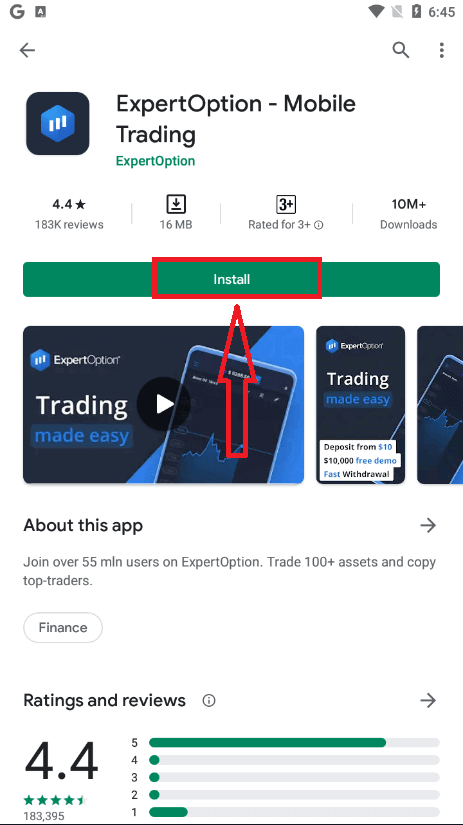
ExpertOption trading app for Android is considered to be the best app for online trading. Thus, it has a high rating in the store, there also won’t be any problems with trading and transferring funds.Download the official ExpertOption mobile app from the Google Play Store or click here. Simply search for “ExpertOption - Mobile Trading” app and download it on your Android Phone.
Get the ExpertOption App for Android
Click on [Install] to complete the download.
Wait for the installation to complete. After that, open ExpertOption app, you will see the trading platform, click "Buy" or "Sell" to predict where the graph will go.
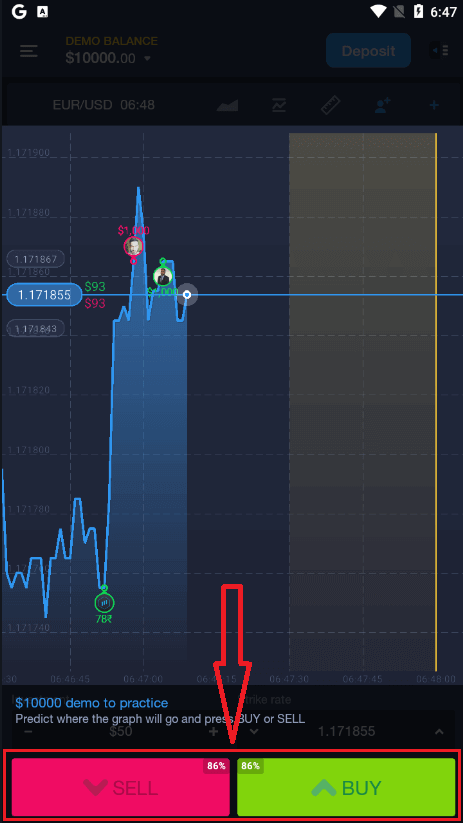
Now you can continure trading with $10,000 in Demo account. It is a tool for you to get familiar with the platform, practice your trading skills on different assets, and try out new mechanics on a real-time chart without risks.
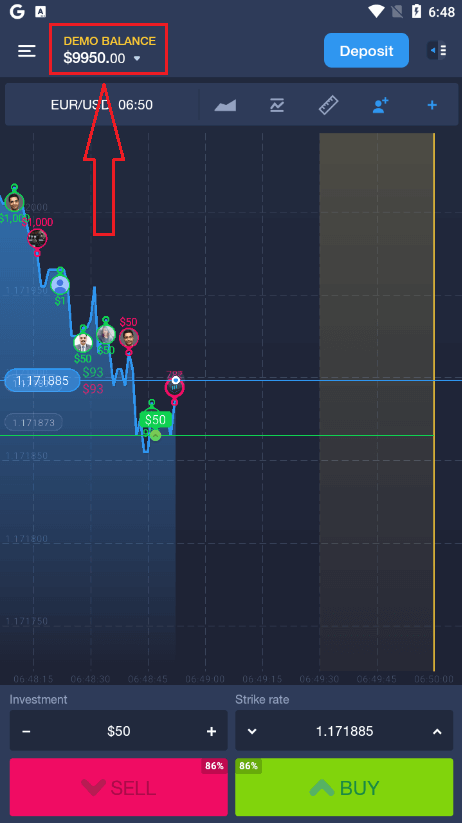
You can also open an account on the Android mobile platform by clicking "DEMO BALANCE," thenclickingk "Open real account."
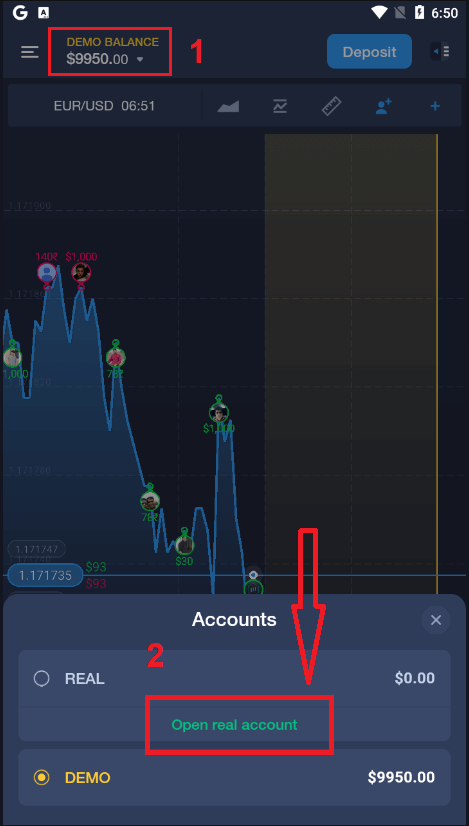
- Enter a valid email address.
- Create a strong password.
- You also need to accept the "Terms and Conditions."
- Click the "Create account" button.
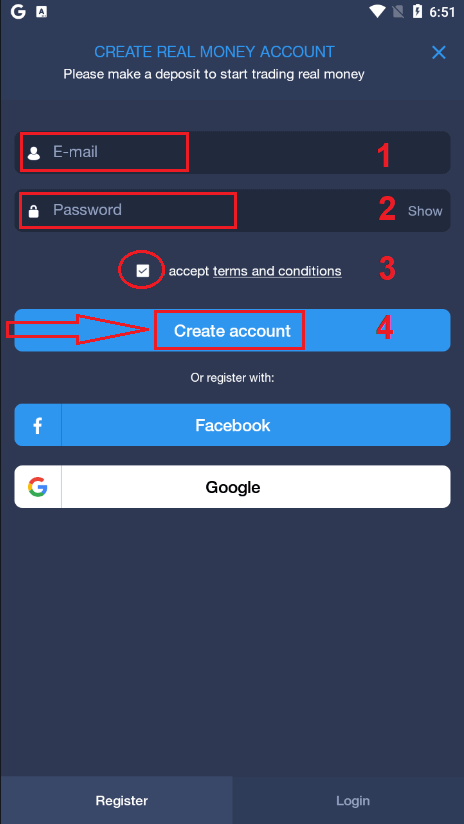
Congratulation! You have registered successfully, now you can deposit and start trading with a real account.
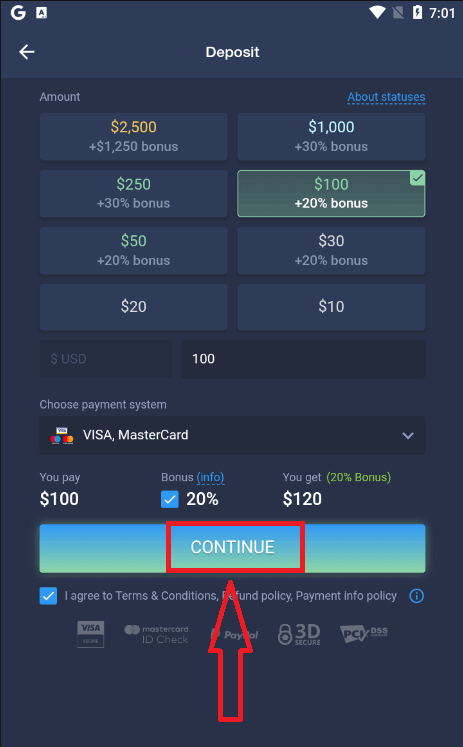
If you already work with this trading platform, log in to your account on an Android mobile device.
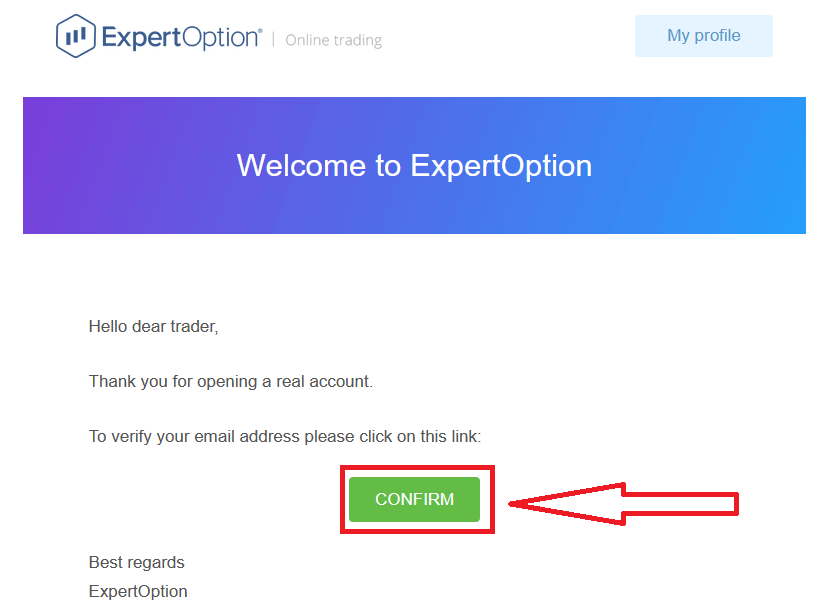
Finally, after you access your email, ExpertOption will send you a confirmation email. Click the link in that mail to activate your account. So, you will finish registering and activating your account.
Conclusion: Trade Anytime, Anywhere with ExpertOption Mobile
Downloading the ExpertOption app on your Android or iOS device gives you the flexibility to trade on the move without compromising on features or performance. Whether you’re a beginner or an experienced trader, the mobile app provides real-time access to markets, fast execution, and an intuitive interface — all from the palm of your hand. With just a few taps, you’re ready to manage your investments anytime, anywhere.