ExpertOption Deposit in Egypt: Visa/Mastercard, E-payments & Crypto
Writen By

Online Trading Platform Researcher and Guide Writer
Researches broker platforms and trading account Systems.
Funding an ExpertOption account from Egypt often runs into practical hurdles: bank limits, currency conversion and payment provider rules can cause card declines or processing delays. Knowing which methods are available locally and what verification or 3D Secure checks may be required reduces failed attempts and gets funds into your trading account faster.
You will find step‑by‑step procedures for depositing with Visa and Mastercard, common e‑payment channels available to Egyptian users, and cryptocurrency options. The following sections cover minimums shown at the deposit screen, expected processing times and fees, how to verify and link payment methods, and quick troubleshooting for declined or pending transfers while emphasizing verification readiness and secure payment practices.
You will find step‑by‑step procedures for depositing with Visa and Mastercard, common e‑payment channels available to Egyptian users, and cryptocurrency options. The following sections cover minimums shown at the deposit screen, expected processing times and fees, how to verify and link payment methods, and quick troubleshooting for declined or pending transfers while emphasizing verification readiness and secure payment practices.

How do I make a Deposit in Egypt?
You are welcome to deposit using a debit or credit card (VISA, MasterCard), an e-wallet like Perfect Money, Skrill, WebMoney... or Crypto.The minimum deposit is 10 USD. If your bank account is in a different currency, the funds will be converted automatically.
Many of our traders prefer using E-payments instead of bank cards because its faster for withdrawals.
And we have good news for you: We dont charge any fees when you make a deposit.
Bank Cards (VISA/ MasterCard)
1. Visit ExpertOption.com website or mobile app.2. Login to your trading account.
3. Click on the “Finances” on the left upper corner menu and click "Deposit".
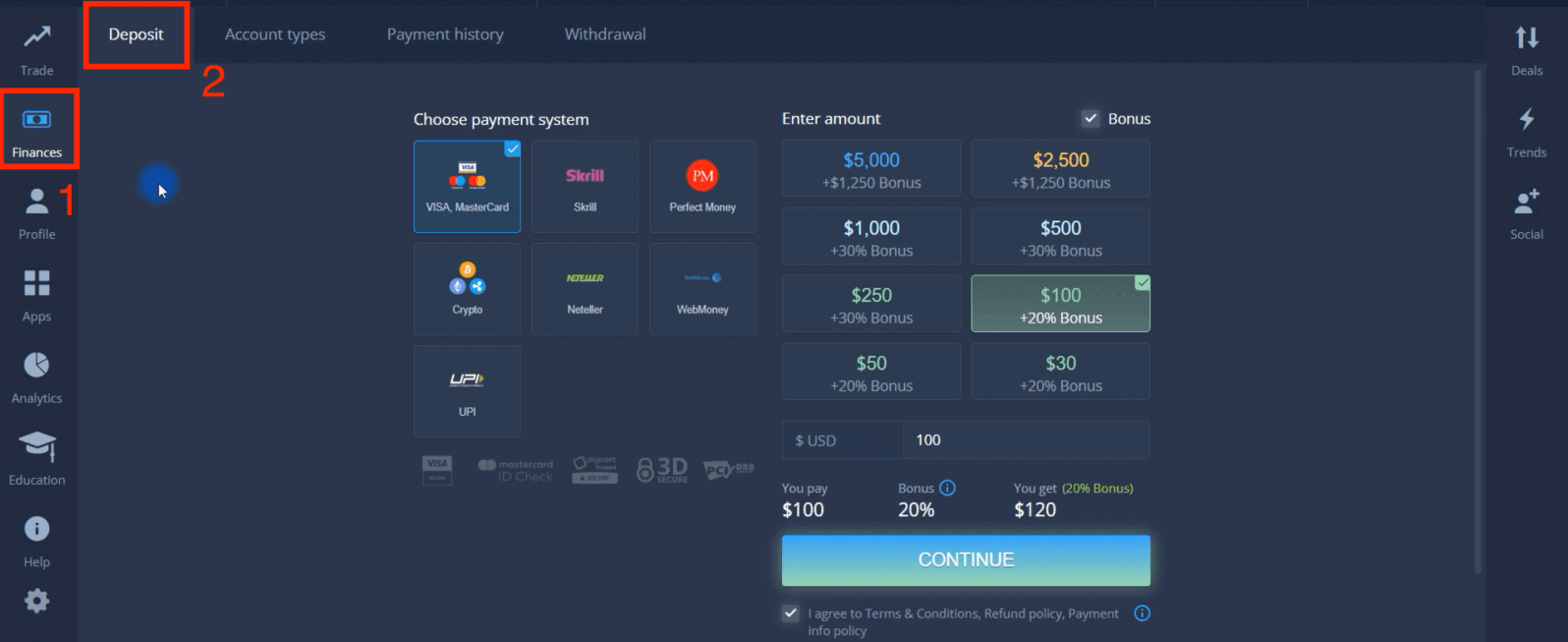
4. There are several ways to deposit funds into your account, you can make deposits via any debit and credit card. The card must be valid and registered in your name and support international online transactions. select "VISA / MasterCard".
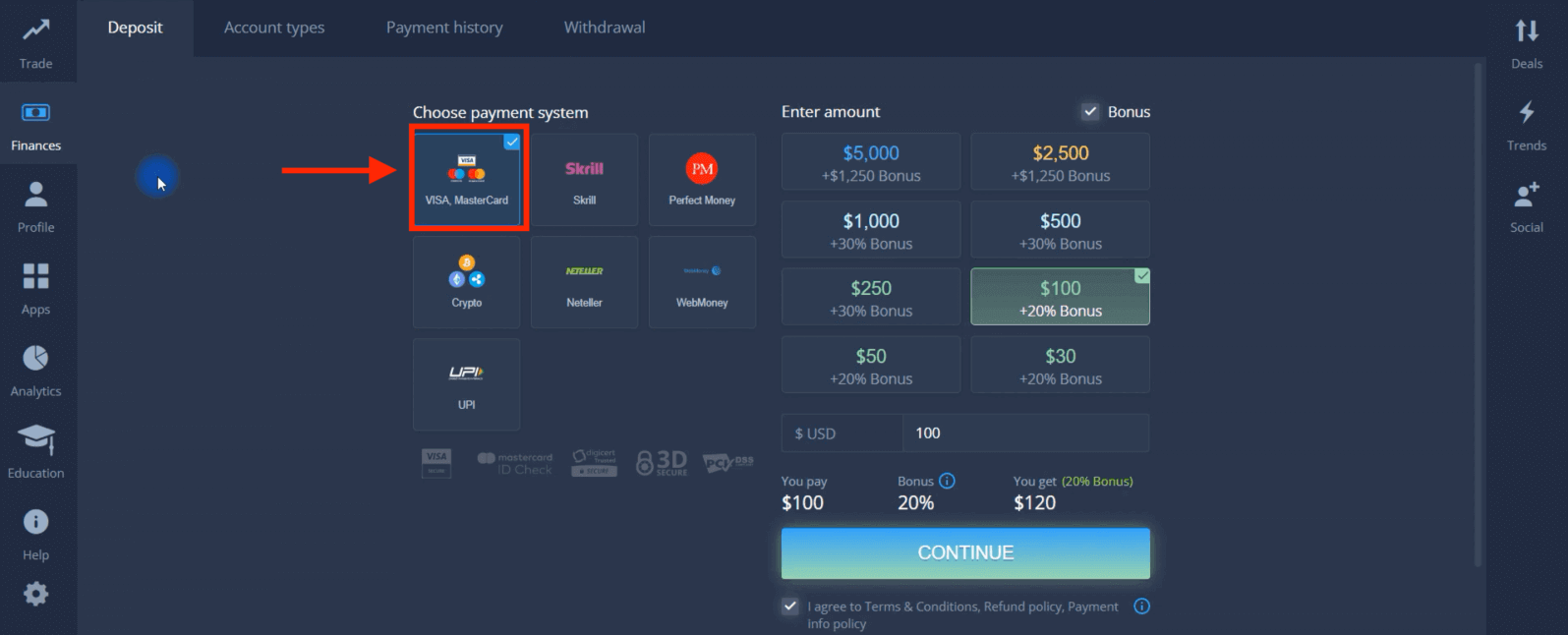
5. You may enter a deposit amount manually or select one from the list.
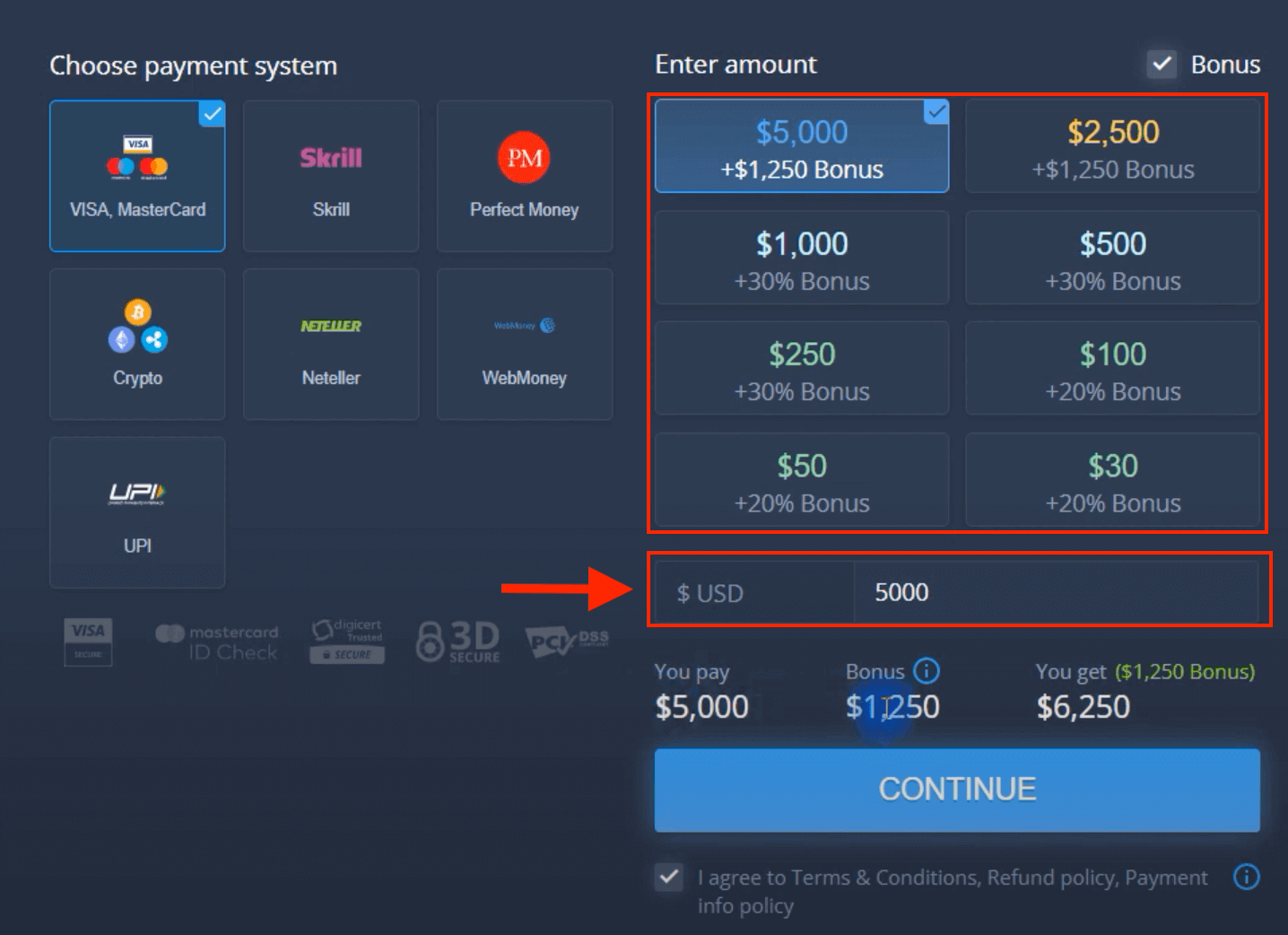
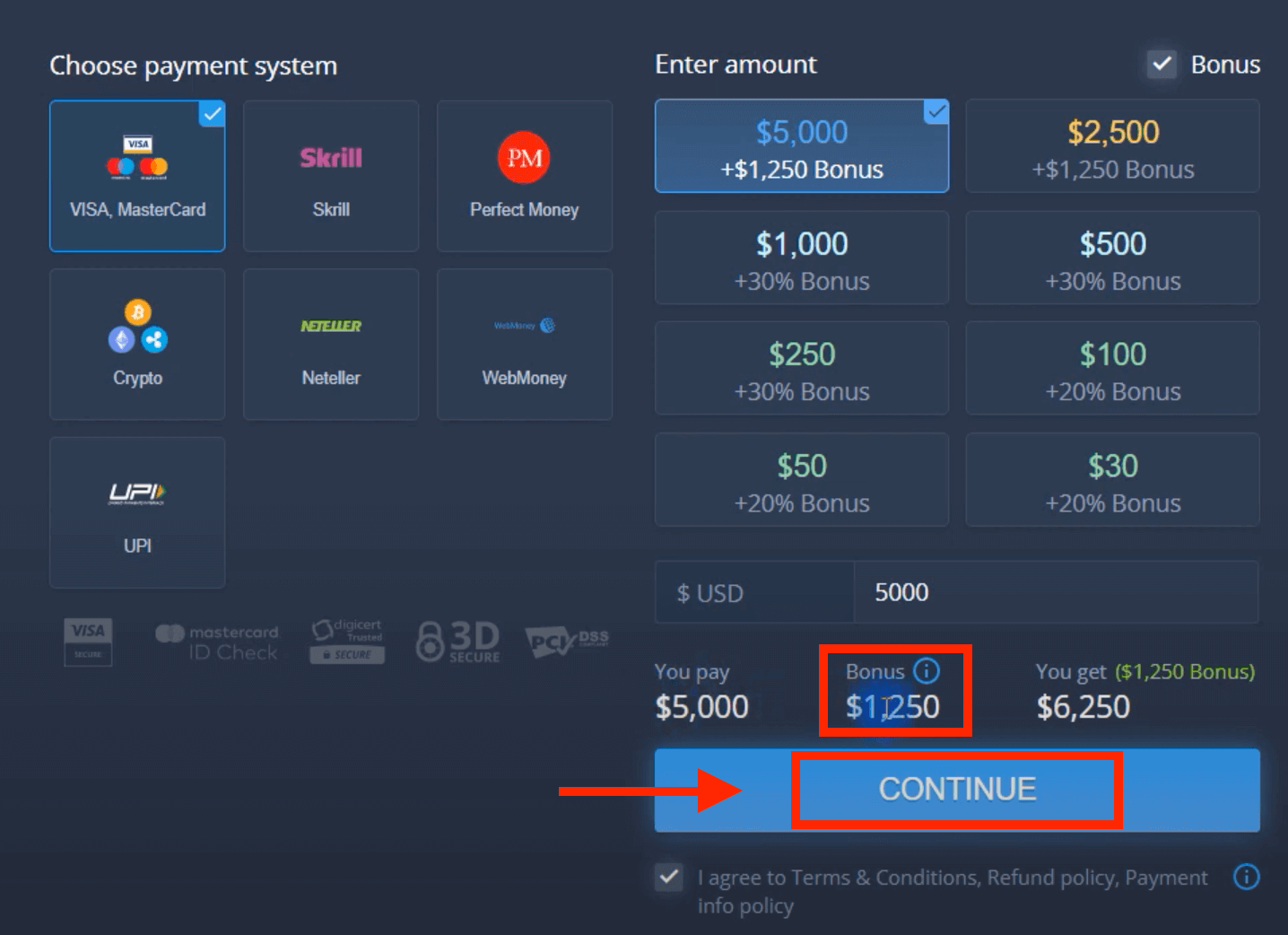
6. The system may offer you a deposit bonus, take advantage of the bonus to increase the deposit. After that, click "CONTINUE".
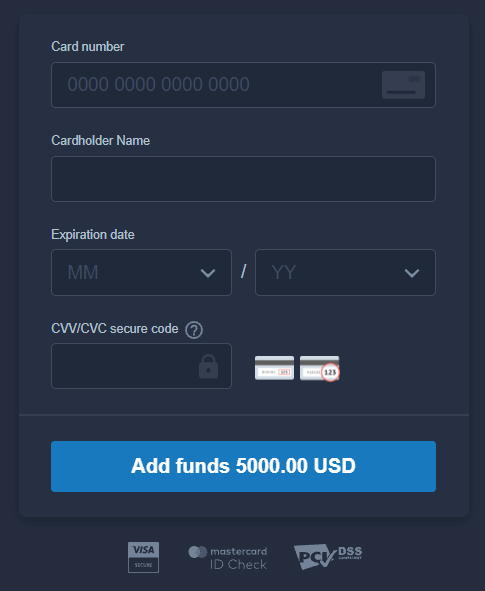
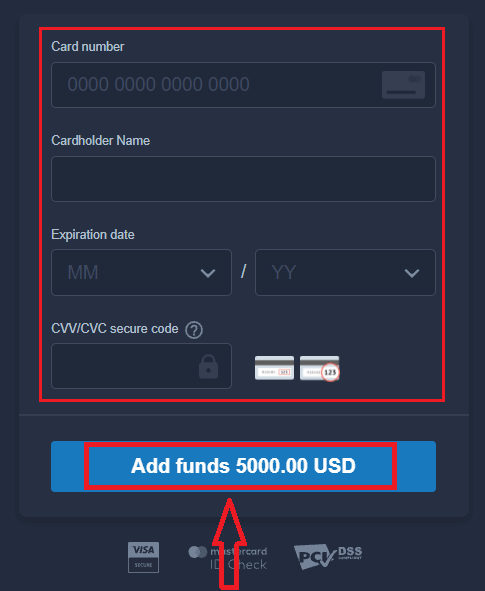
5. You will be redirected to a new page where you will be requested to enter your card number, cardholder name and CVV.
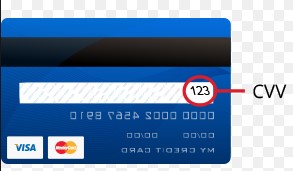
The CVV or СVС code is a 3-digit code that is used as a security element during online transactions. It is written on the signature line on the back side of your card. It looks like below.
To complete the transaction, press the "Add funds ..." button.
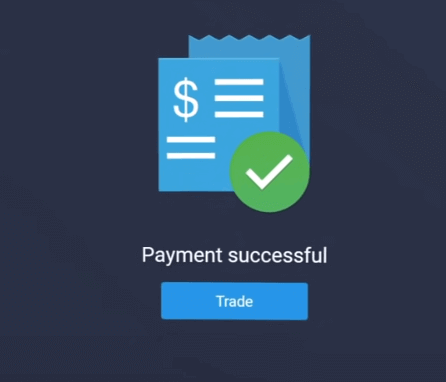
If your transaction has been completed successfully, a confirmation window will appear and your funds will be credited to your account instantly.
E-payments
1. Visit ExpertOption.com website or mobile app.2. Login to your trading account.
3. Click on the “Finances” on the left upper corner menu and click "Deposit".
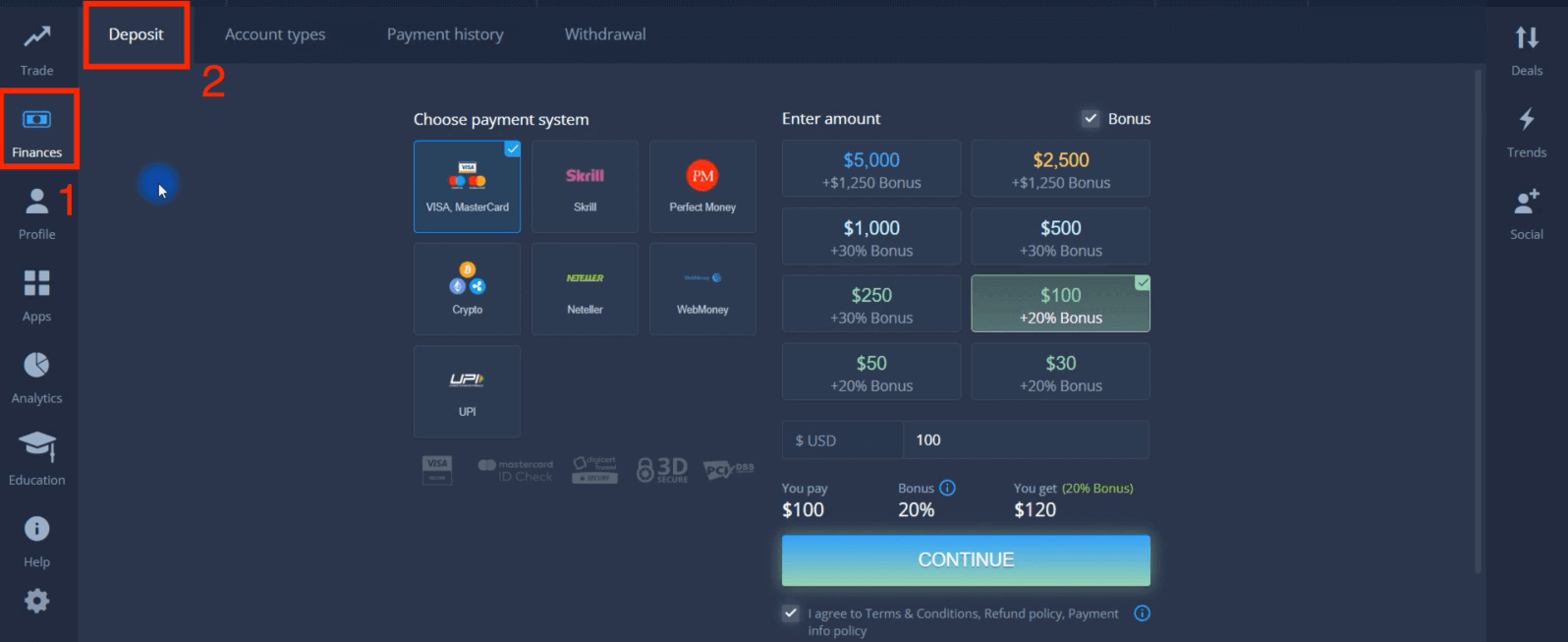
4. Select "Skrill" as an example.
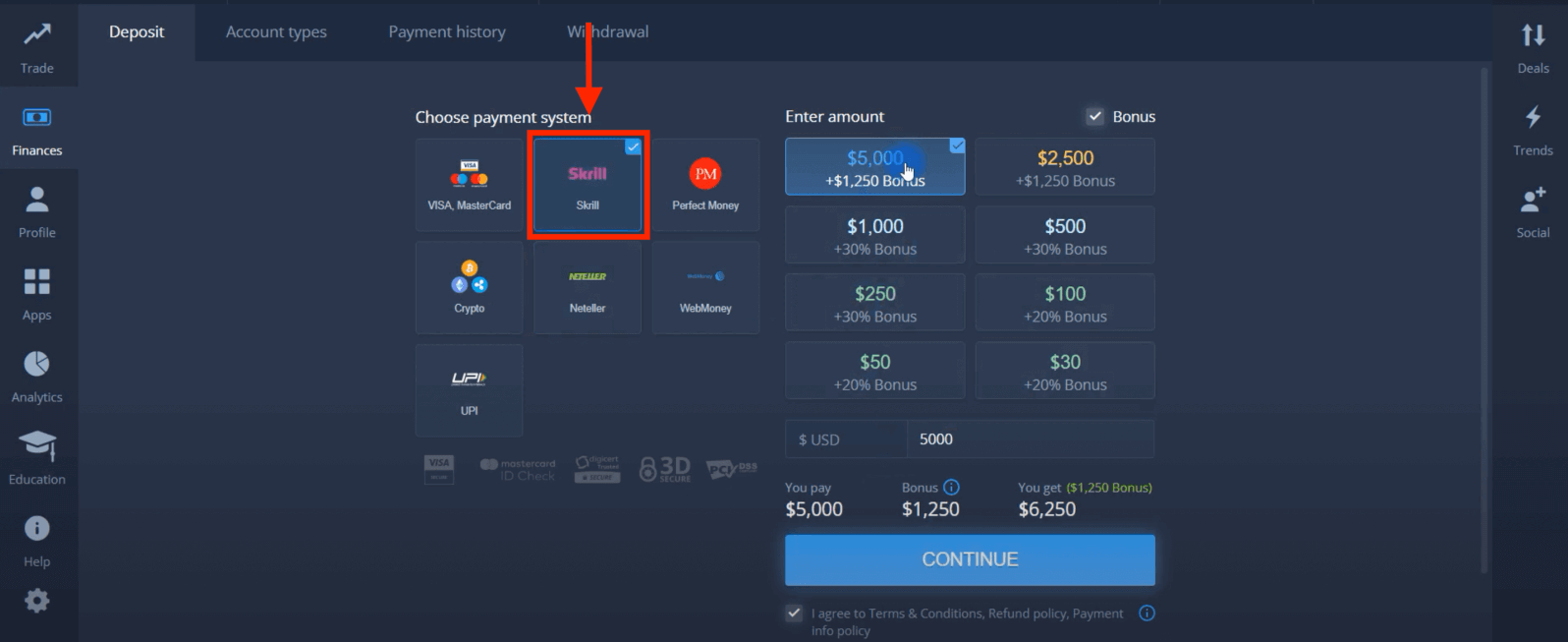
5. You may enter a deposit amount manually or select one from the list.
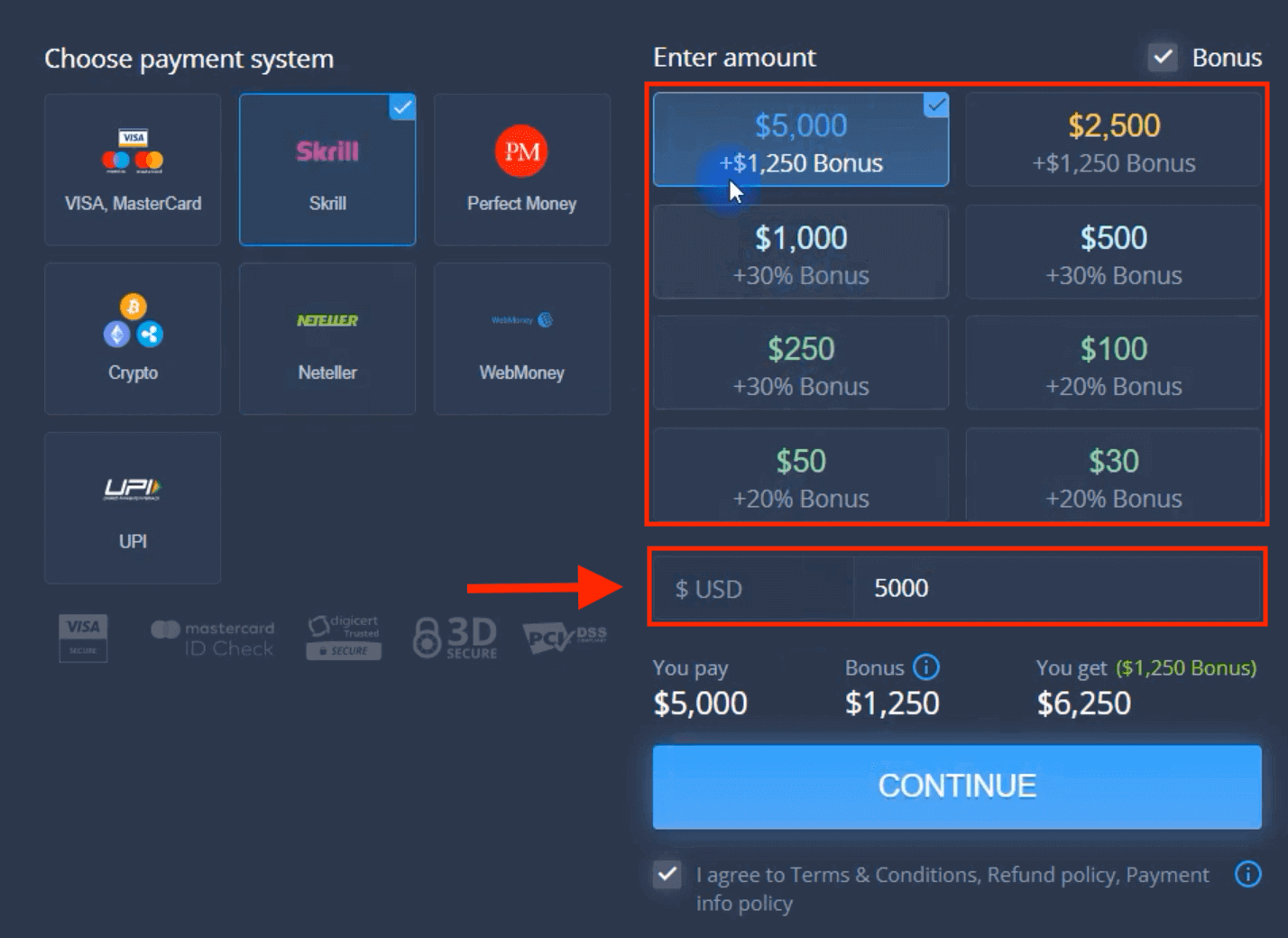
6. The system may offer you a deposit bonus, take advantage of the bonus to increase the deposit. After that, click "CONTINUE".
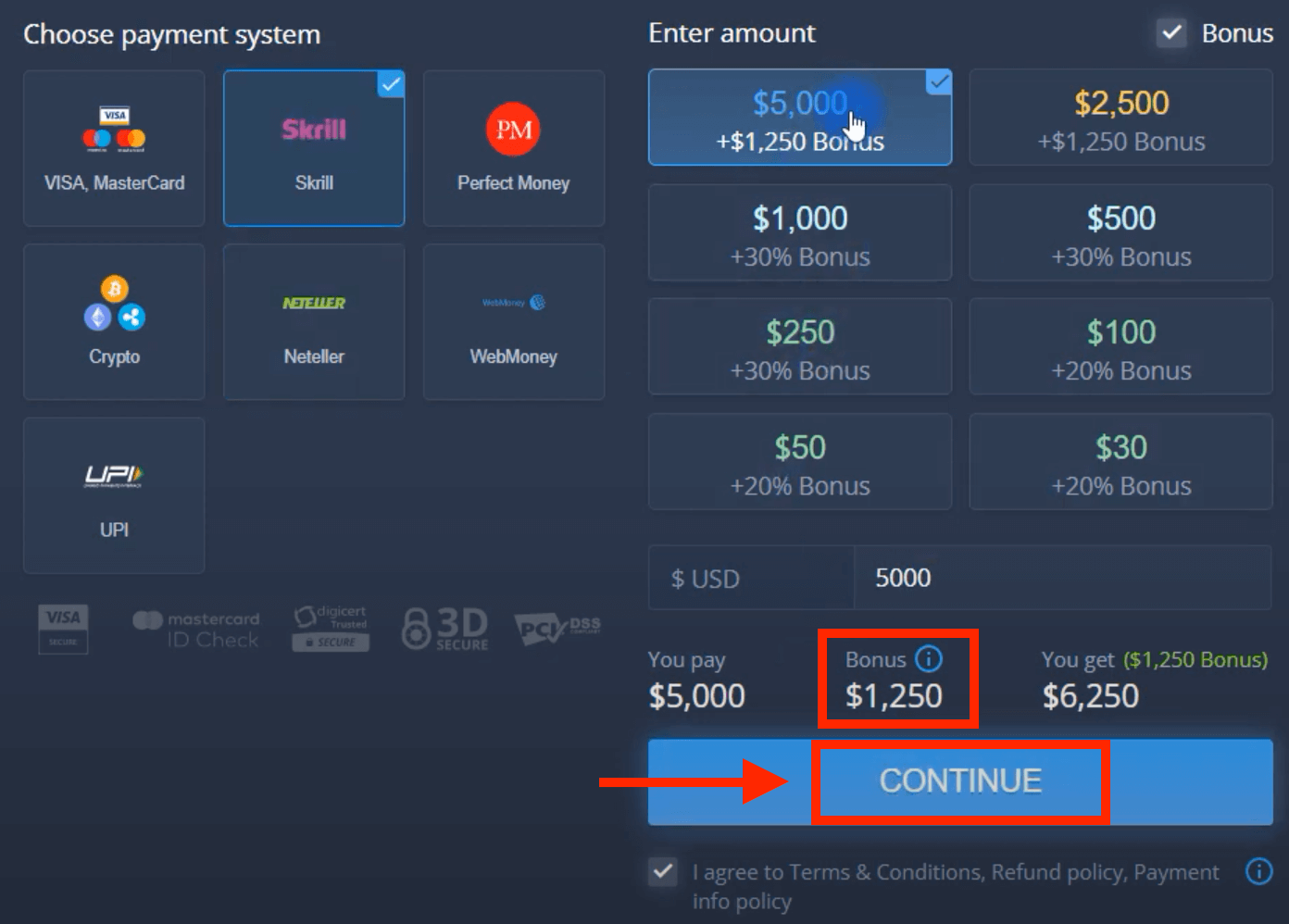
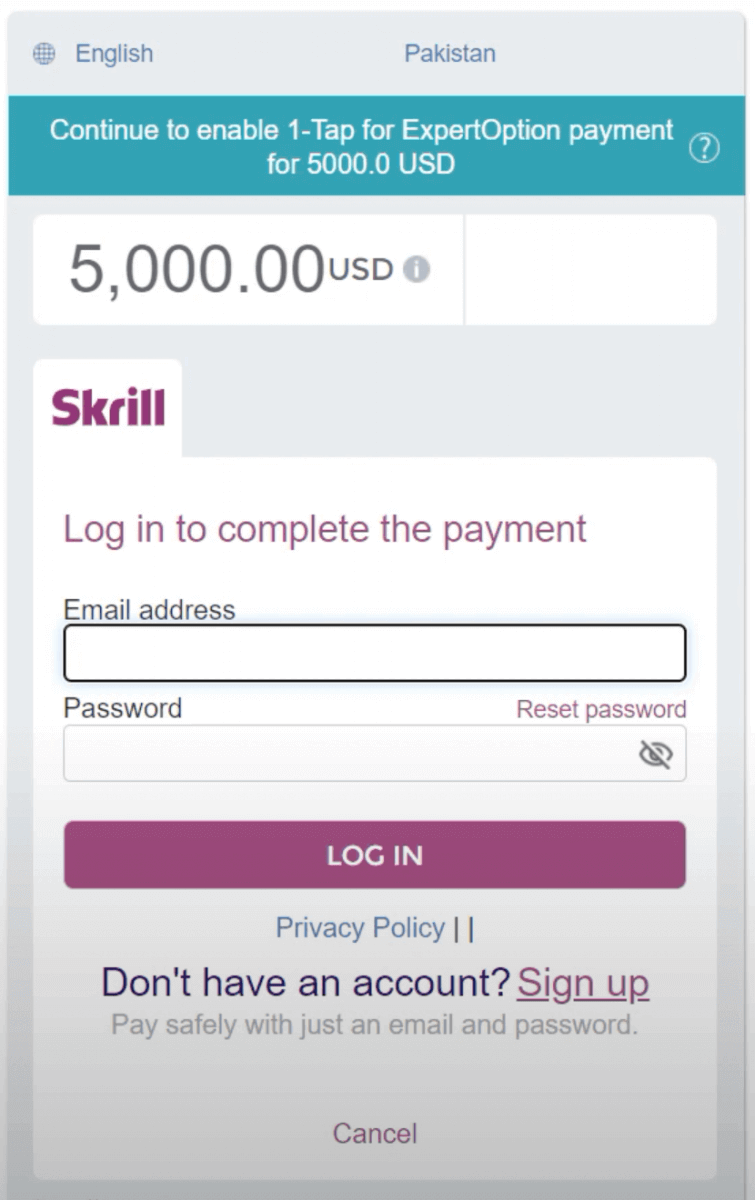
5. You will be redirected to a new page where you need to enter the required data to deposit money to ExpertOption.
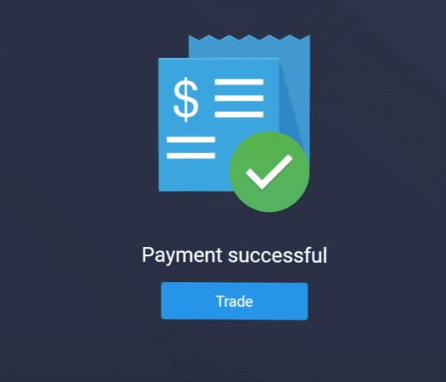
If your transaction has been completed successfully, a confirmation window will appear and your funds will be credited to your account instantly.
Crypto
1. Visit ExpertOption.com website or mobile app.2. Login to your trading account.
3. Click on the “Finances” on the left upper corner menu and click "Deposit".
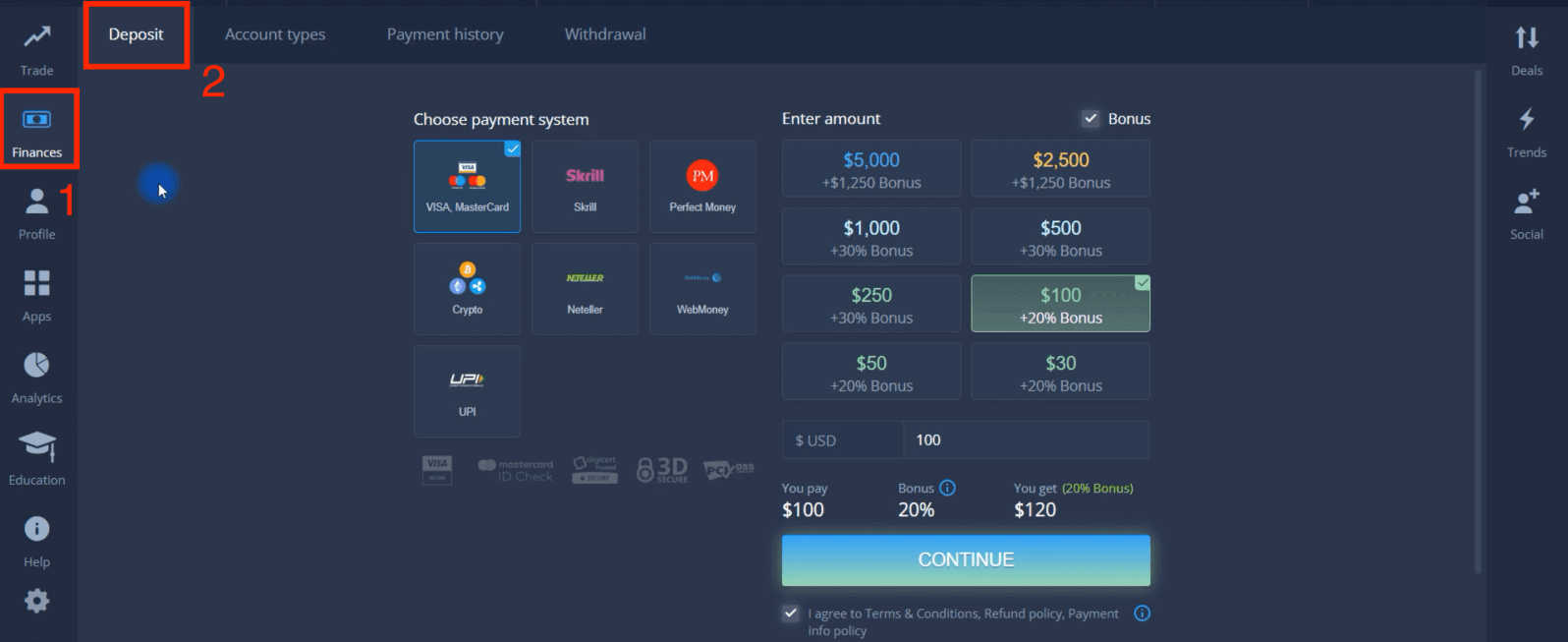
4. Select "Crypto".
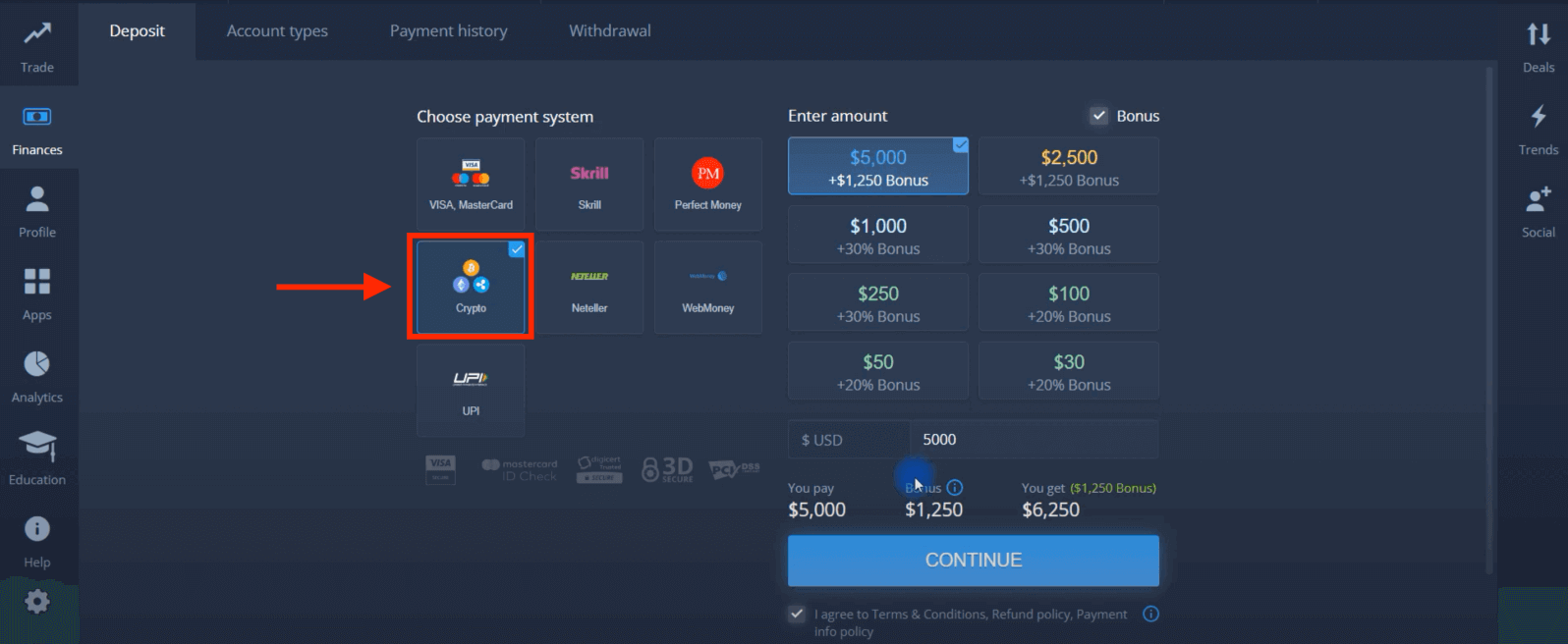
5. You may enter a deposit amount manually or select one from the list.
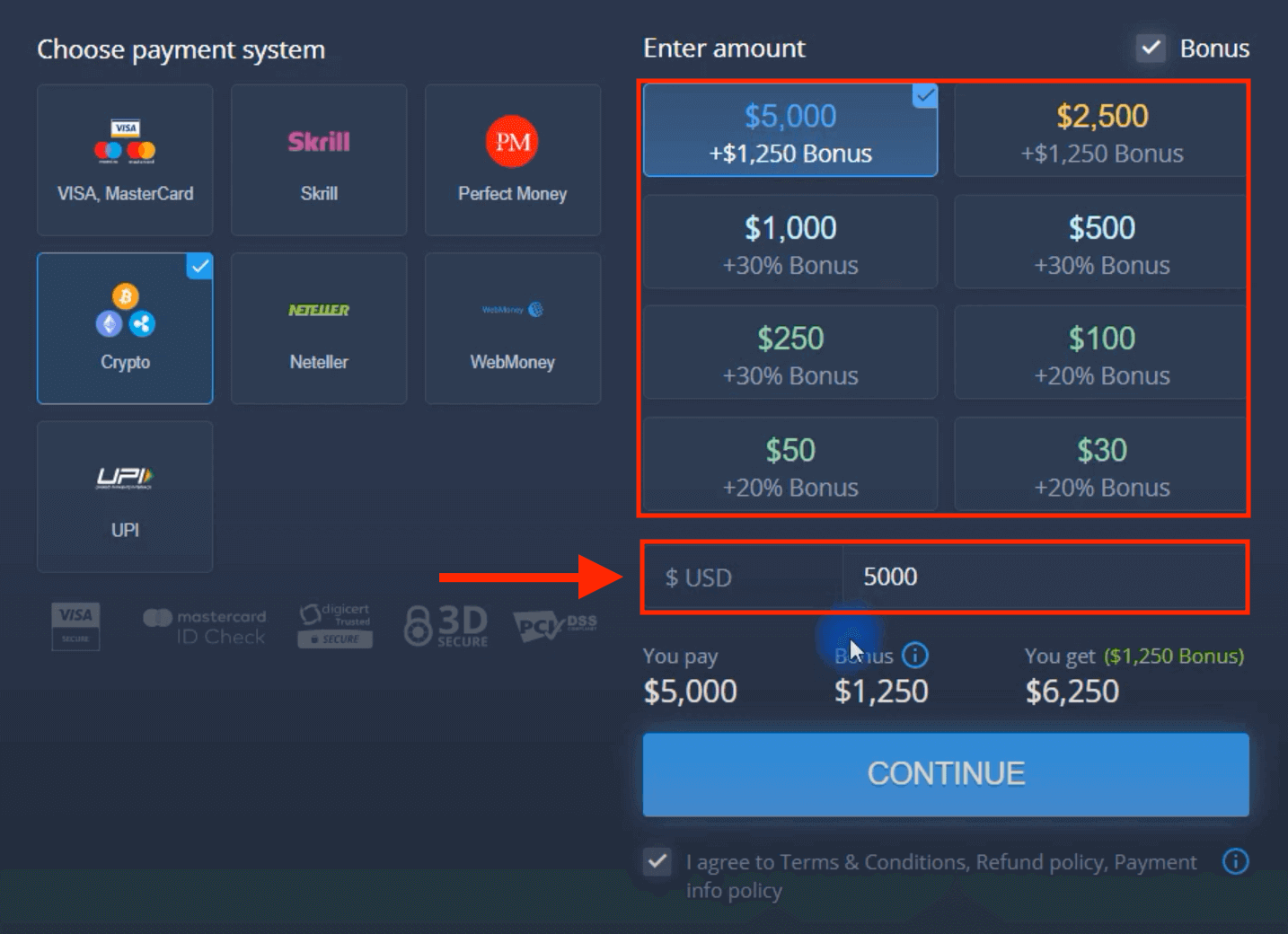
6. The system may offer you a deposit bonus, take advantage of the bonus to increase the deposit. After that, click "CONTINUE".
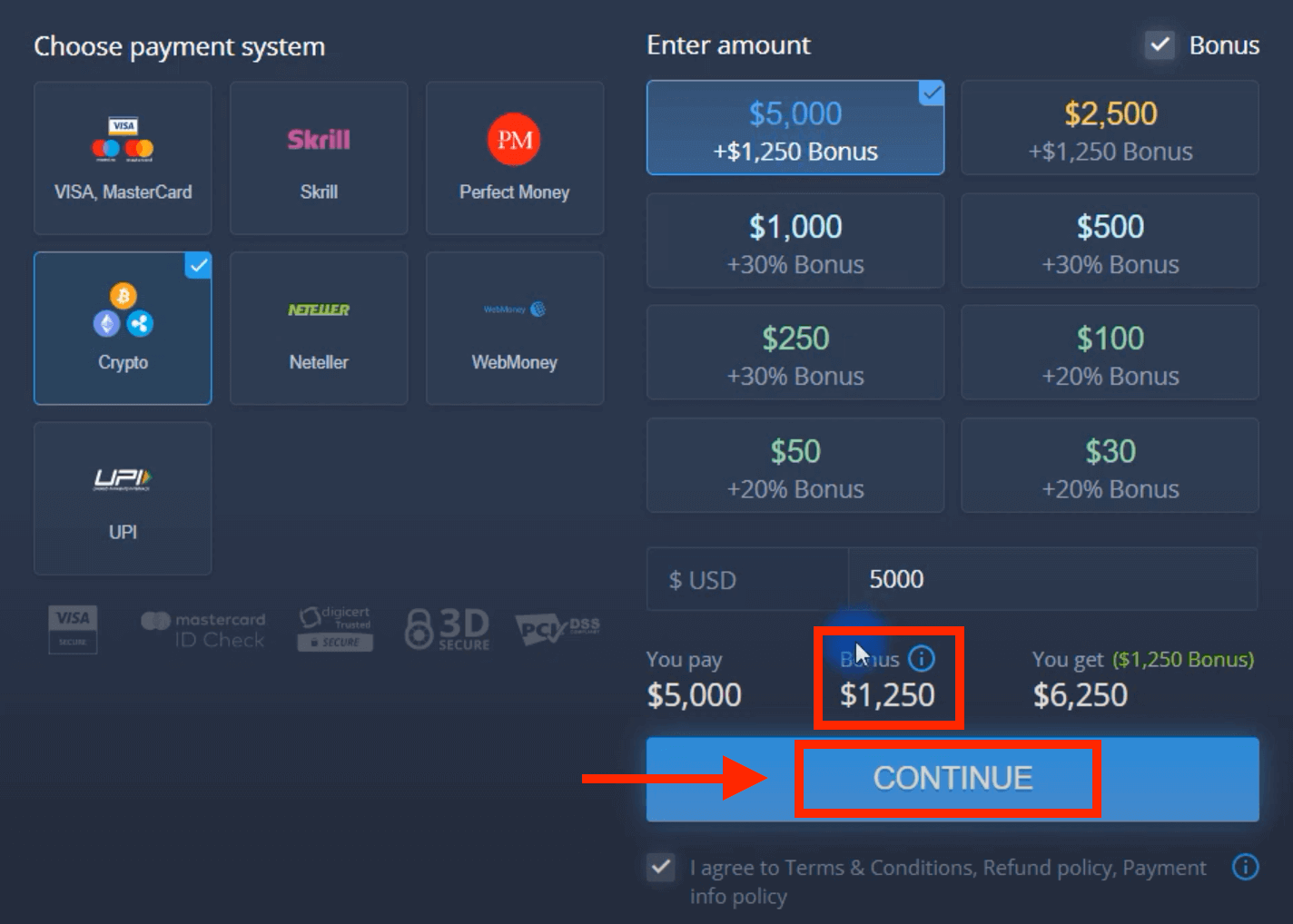
5. You will be redirected to a new page where you can get the address and send exactly the crypto to that address.
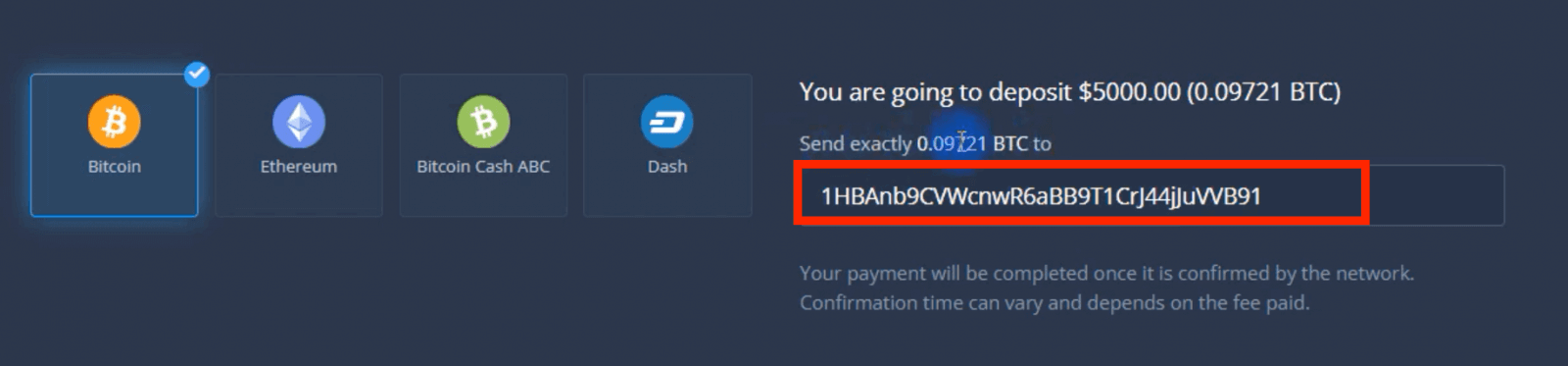
Your payment will be completed once it is confirmed by the network. Confirmation time can vary and depends on the fee paid.
Higher status — more privileges
| Micro | Basic | Silver | Gold | Platinum | Exclusive |
|
For those who prefer light start. Upgrade to higher status when ready |
For those who prefer light start. Upgrade to higher status when ready | Majority of our clients start with Silver account. Free consultations included | Smart investments start with Gold account. Get most from your account with privileged features | Our best expertise and exclusive account management for serious investors | Ask your account manager for additional information |
|
from $10
|
from $50
|
from $500
|
from $2,500
|
from $5,000
|
Invitaiton only |
Account Types
| Micro | Basic | Silver | Gold | Platinum | Exclusive | |
|
Education materials
|
 |
 |
 |
 |
 |
 |
|
Daily Market Reviews and Financial research
|
 |
 |
 |
 |
||
|
Priority withdrawal
|
 |
 |
 |
|||
|
Maximum number of simultaneously open deals
|
10
|
10 | 15 | 30 | no limit | no limit |
|
Maximum deal amount
|
$10
|
$25 | $250 | $1000 | $2,000 | $3,000 |
|
Increased asset profit
|
0
|
0 | 0 | up to 2% | up to 4% | up to 6% |
FAQs
ExpertOption accepts bank cards (Visa and Mastercard), a selection of e‑payment providers available to Egyptian users, and major cryptocurrencies such as Bitcoin, Ethereum and USDT; exact options shown during the deposit process depend on your account currency, verification status and the payment partner's regional availability.
Minimums vary by payment method and account tier; ExpertOption displays the exact minimum on the deposit screen. Also check your card or e‑wallet provider for their own minimums and gateway conversion fees that can change the effective amount you must send.
Log in, open the Deposit page, choose Visa/Mastercard, enter the amount and card details, confirm the billing name matches the card, complete 3D Secure authentication when prompted, and wait for the transaction status to update in your account. If the deposit remains pending beyond the stated processing time, verify your identity documents and contact support with the transaction reference.
Declines commonly stem from 3D Secure failures, daily or foreign transaction limits, incorrect card data, the issuing bank blocking cross‑border or merchant categories, or pending KYC on your ExpertOption account. To fix it, confirm the 3D Secure OTP, contact your bank to lift online or international blocks, retry with another card or an approved e‑payment channel, ensure billing details match, and complete identity verification before retrying. If problems persist, save the transaction reference and send it to ExpertOption support so they can trace the payment with the acquiring bank.
Deposits may be delayed or blocked until identity and address verification are completed; card payments require matching cardholder details and sometimes a small verification charge. AML and fraud checks can flag large or unusual transfers and trigger additional documentation requests. Best practices: complete KYC before funding, use 3D Secure‑enabled cards, keep proof of payment and transaction IDs, and avoid public Wi‑Fi when submitting sensitive data. If a payment is held, refunds to the original source can take several business days depending on the processor.